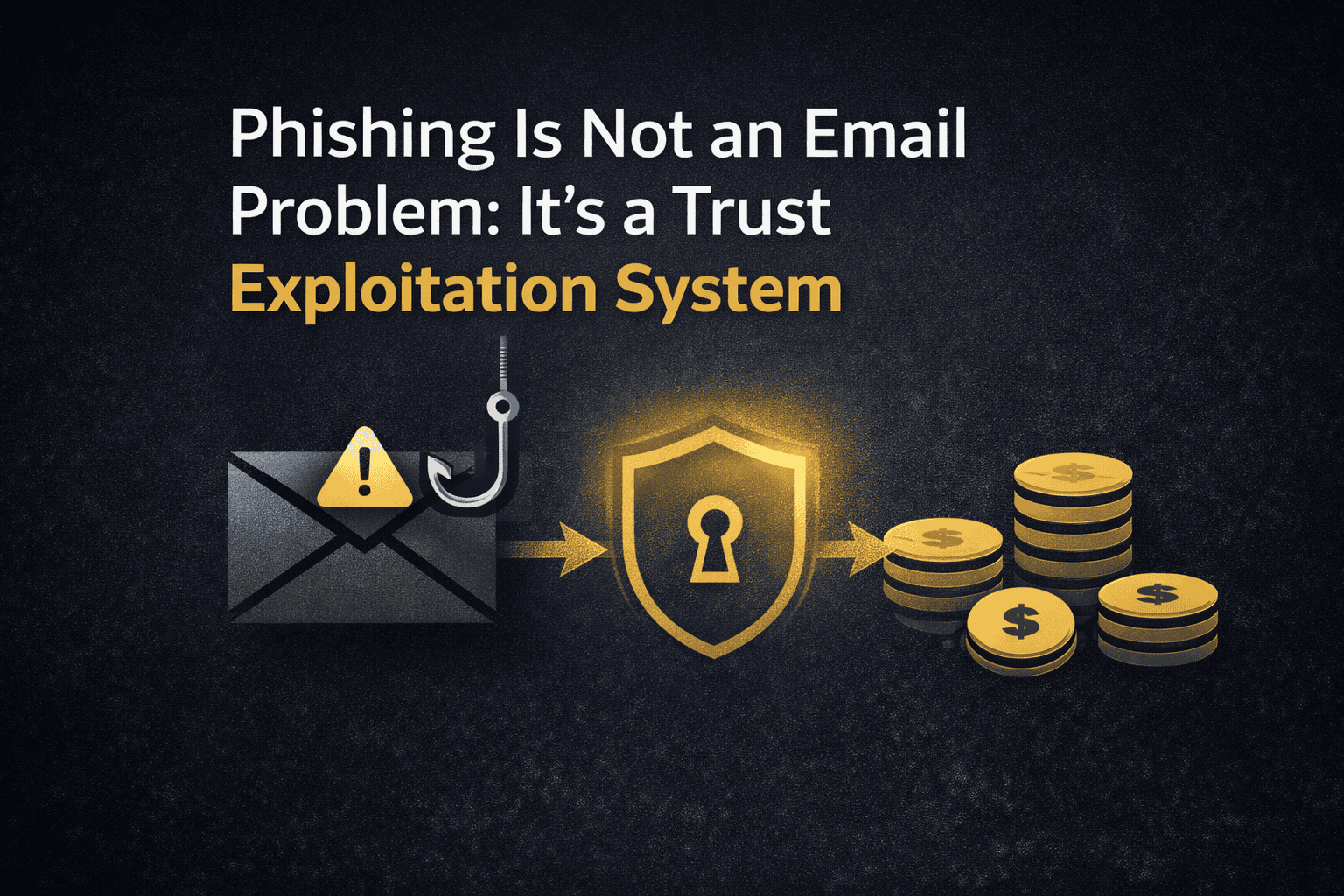
Phishing is a trust-boundary problem
Phishing is often described as a fraudulent email. Email is one delivery channel, but that definition is too narrow. A phishing attempt can arrive by email, text message, collaboration platform, social media, voice call, or a compromised conversation. Its purpose is usually to make an unsafe request feel routine enough to cross a trust boundary.
The request may be to open a file, follow a sign-in link, approve a prompt, share information, change payment details, or continue a familiar workflow. The technical detail matters, but so does the surrounding context: who appears to be asking, why the request seems timely, and how little time the recipient has to verify it.
This article uses a teaching model to explain that progression. It is not a universal attack sequence. Real incidents can skip stages, repeat them, or combine phishing with other techniques.
A teaching model: from context to impact
- Context: an attacker identifies a person, team, supplier, process, or event worth imitating.
- Workflow mimicry: the lure borrows familiar language, brands, documents, or timing.
- Delivery: the request is sent through a channel the target is likely to trust or monitor.
- Human interaction: the recipient is encouraged to click, reply, disclose information, approve an action, or run something.
- Identity compromise: credentials, authentication material, session data, or permissions may be exposed or granted.
- Authenticated trust: a valid account or session can make later activity look more legitimate than an unauthenticated attempt.
- Post-compromise activity: the actor may collect information, change rules, impersonate a user, or seek further access.
- Impact: the result can range from a contained report to account takeover, fraud, data exposure, malware delivery, or disruption.
MITRE ATT&CK classifies phishing as an Initial Access technique and documents variants delivered through links, attachments, services, and voice. That classification supports the model’s delivery and interaction stages, but it does not mean every phishing message reaches compromise.
Workflow mimicry uses normal work against us
The strongest lure is not necessarily the most polished one. It is the one that fits a recipient’s current task. An invoice near month-end, a shared document before a meeting, a security prompt after a password reset, or a message that appears to continue an existing thread can all borrow credibility from a real process.
Claim, evidence, interpretation, and limit
Claim: phishing often works by exploiting trusted communication and routine decisions, not merely by presenting obvious technical warning signs.
Evidence: MITRE documents phishing that poses as trusted sources, abuses existing threads, and uses services beyond conventional email. CISA also describes phishing messages as attempts to obtain information or cause harmful actions by appearing to come from a trusted person or organization.
Interpretation: verification must be designed into high-risk workflows. Asking people only to spot bad spelling or unusual logos is insufficient when the message is contextually plausible.
Limit: context is not proof of malicious intent. A message should be verified through an independent, known contact route when it asks for credentials, payment, sensitive data, or an unusual action.
Why capable people can respond
Phishing is not adequately explained as a failure of individual judgment. People make security decisions amid deadlines, responsibilities, familiar systems, social expectations, and limited attention. An attacker may only need to make an unusual request resemble an ordinary obligation.
- Authority: a request that appears to come from management, finance, IT, or an established supplier can inherit an expectation of compliance.
- Urgency: a perceived cost of delay can pressure a person to act before verification.
- Familiarity: real project names, recognizable language, and existing threads can make a request feel routine, especially when a genuine account has been compromised.
- Cognitive load: competing conversations and deadlines may reduce the opportunity to inspect an unexpected request. This is a plausible contributor, not proof that busy people are always more vulnerable.
- Process compliance: trained efficiency can become a risk when a single communication channel both requests and appears to authorize a high-risk action.
Williams, Hinds, and Joinson’s workplace research connects authority cues and working context with phishing susceptibility. Its results do not establish equal causal weight for every mechanism or predict how every employee will respond. The defensive implication is organisational: high-risk actions need verification steps that remain effective when staff are busy and the message appears to come from a trusted person.
Williams, Hinds, and Joinson, Exploring Susceptibility to Phishing in the Workplace.
The phishing process diagram
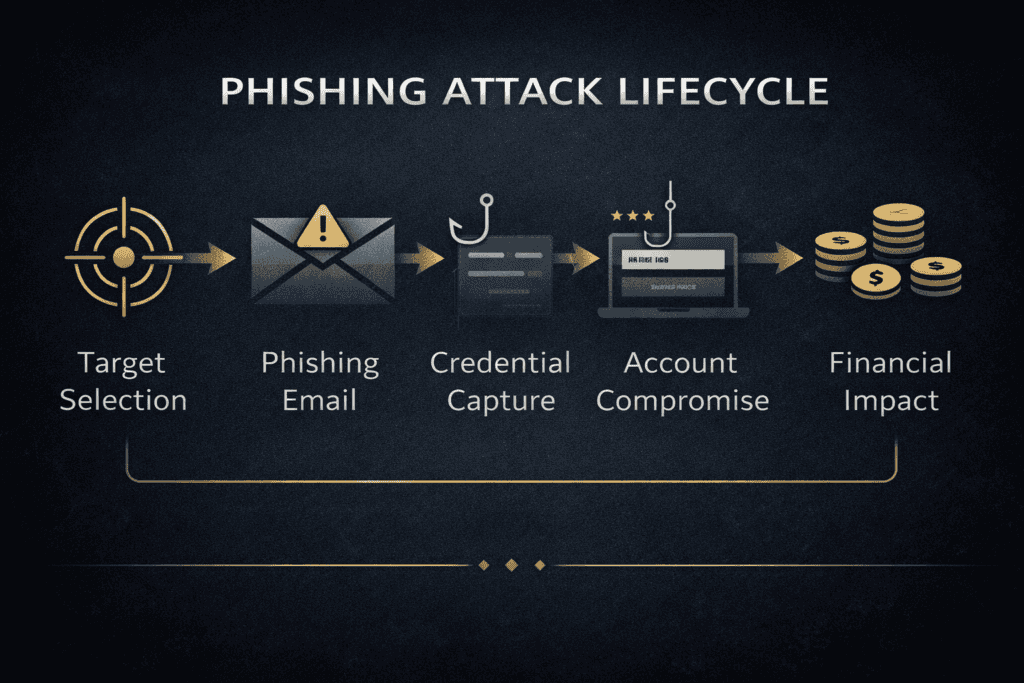
The diagram is useful because it separates a message from the wider system around it. It should not be read as a promise that every phishing attack follows this order or reaches the same outcome.
The infrastructure behind a convincing message
A phishing message is the visible part of a wider arrangement of domains, websites, accounts, cloud services, and tools. The components vary considerably. Sophisticated infrastructure is not required for every successful scam, and no two campaigns should be assumed to use the same setup.
A phishing kit can be a reusable set of files or software used to imitate a service or capture credentials. A lookalike domain can resemble a legitimate organisation through spelling, characters, or domain structure. MITRE ATT&CK documents adversary-acquired domains used for phishing and notes that domains can resemble legitimate ones. A familiar-looking address is therefore not sufficient evidence that a destination is legitimate.
Compromised accounts create a different risk. MITRE documents compromised e-mail accounts being used in phishing and existing conversation threads. A message from a genuine mailbox can still contain an unauthorised instruction, so checking only the spelling of the sender address cannot establish that the account owner initiated the request.
Adversary-in-the-Middle phishing is another mechanism. In some configurations an attacker-controlled intermediary can relay parts of an authentication exchange and obtain reusable authentication material or session information. It is not a universal bypass of all MFA. The authentication method and implementation matter.
Identity compromise is not limited to passwords
A credential-harvesting page can capture a password, but modern identity attacks may also try to obtain a one-time code, an approval, a session cookie, or consent for an application. These are distinct mechanisms and should not be treated as interchangeable.
- Credentials can be reused on a legitimate sign-in page.
- One-time codes and approval prompts add a factor, but manual entry or approval can still be relayed in some attack scenarios.
- Session cookies can represent an already authenticated browser session. MITRE documents their theft and later use as alternate authentication material.
- Application permissions can create access paths that must be reviewed according to the identity platform’s controls and the permissions granted.
This is why the phrase “MFA stops phishing” is too broad. MFA usually reduces risk substantially, but its protection depends on the method, the sign-in flow, device and session controls, and what an attacker has already obtained. NIST distinguishes phishing-resistant authentication from methods that require a person to manually enter an authenticator output. WebAuthn is one example of a standard that can provide phishing resistance through binding to the legitimate verifier name.
For a deeper treatment of this boundary, read Why MFA Doesn’t Stop Phishing, What Is AiTM Phishing and Why It Bypasses MFA, and Why Session Cookies Matter More Than Your Password.
After access, the impact is conditional
A successful sign-in is not the same as a successful intrusion. The outcome depends on the account, privileges, monitoring, session controls, and response speed. An attacker might read email for context, create a forwarding rule, impersonate a colleague, request a payment change, or look for further access. These are possible paths, not guaranteed next steps.
Business email compromise is one important example. It can use a compromised or impersonated account to make a payment or data request look credible. Treat changes to bank details, invoices, payroll, or gift-card purchases as process exceptions that require independent verification.
MITRE separately documents remote email collection and email-forwarding rules. That distinction matters: defenders should look for the behaviours relevant to their environment rather than assume that every compromised mailbox behaves in the same way.
Fictional case: the changed supplier invoice
This fictional example illustrates a plausible business-email-compromise scenario. It is not an observed incident or a research finding.
Shortly before a monthly payment run, a finance employee receives an invoice-related message from a familiar supplier. The amount and project reference look normal, but the message asks for updated bank details. In one version the sender uses a lookalike address. In another, the supplier’s real mailbox has been compromised. The visible business context can be similar while the underlying security problem differs.
The employee does not reply to the message or use the number it supplies. Instead, they use verified vendor records to contact the supplier through an established channel. The supplier confirms that no bank-account change was authorised. The payment is held and the message is reported for review.
The attempted trust-boundary crossing is not merely the email. It is the attempt to make a request inside the finance workflow become an authorised payment instruction. Independent confirmation prevents this diversion, but it does not by itself establish whether a supplier account, recipient account, or another system has been compromised.
Sender imitation and account compromise differ
In sender impersonation, an actor creates the appearance of a trusted identity through a misleading display name, similar domain, or another false origin signal. In account compromise, an actor has unauthorised access to an existing account and may write from a genuine mailbox or continue a familiar thread. The email address alone cannot distinguish the legitimate account owner from an unauthorised user.
This difference changes the response. Domain authentication, filtering, and external-sender indicators can help identify some impersonation attempts, but they do not prove that a business request is authorised. Suspected account compromise can require sign-in review, session analysis, audit logs, forwarding-rule review, and containment.
MITRE T1114.003 specifically documents abuse of e-mail forwarding rules for collection and continued monitoring. Their presence is a potential investigative indicator, not evidence that every BEC incident includes forwarding. FBI IC3 documents BEC involving compromised legitimate business e-mail accounts and recommends secondary-channel verification for account-information changes.
Layered defence breaks the chain
No single control eliminates phishing. A useful programme combines controls that reduce delivery, make unsafe actions harder, limit the value of a stolen session, and shorten detection and response time.
The control should match the mechanism. When a message imitates a known sender, filtering and domain authentication can reduce some deception, while compromised accounts and platforms remain residual risks. When authority or urgency is being exploited, independent approval prevents the same channel from becoming both request and authorisation. When an attacker gains an authenticated session, defenders need controls beyond the initial login, such as monitoring, revocation, device and session policy, and permission review. No individual control guarantees containment.
Before delivery
- Use domain protections and filtering appropriate to the mail environment. SPF, DKIM, and DMARC can help receivers validate sender-domain signals, but they do not prove that every message is safe.
- Reduce unnecessary external exposure of roles, approval processes, and contact details where practical.
During interaction
- Make reporting easy and non-punitive.
- Use an independent verification step for money movement, credential requests, sensitive data, and unexpected changes.
- Teach people to inspect the destination domain and to use a known bookmark or application entry point for sign-in, rather than a link in an unexpected message.
At the identity layer
- Prefer phishing-resistant authentication where the risk and platform support it.
- Use conditional access, device trust, session lifetime, and application-consent controls as a coordinated policy rather than isolated checkboxes.
- Review risky sign-ins and unusual consent or session activity according to the identity provider’s telemetry and incident process.
After a suspected compromise
- Preserve the message and report it through the organisation’s security channel.
- Follow the incident runbook for credential reset, session revocation, sign-in review, mailbox-rule review, and notification.
- Use findings to improve the control or workflow that allowed the request to appear trustworthy.
Conditional Access and post-login controls are covered in more detail in How Conditional Access Reduces Identity Attack Damage and After Login: Zero Trust, Tokens and Revocable Trust in 2026.
If you suspect a phishing attempt
- Do not use the message’s link, attachment, phone number, or reply path to verify it.
- Report the message using the organisation’s established reporting route.
- Verify a high-risk request through a known, independent contact method.
- If credentials, a code, a session, or a permission may have been exposed, contact the relevant security or account-support team promptly and follow its incident instructions.
Fast reporting creates options. It may allow a team to block a sender, invalidate a session, protect colleagues, and investigate whether the message was part of a wider campaign.
Where this article fits in the cybersecurity cluster
This article explains phishing as a trust and workflow problem. It complements, rather than replaces, the more specialised articles below.
- How Cyber Attacks Happen: Step-by-Step Breakdown for the wider attack-chain model.
- Why MFA Doesn’t Stop Phishing for the limits of MFA.
- What Is AiTM Phishing and Why It Bypasses MFA for the adversary-in-the-middle pattern.
- Session vs Credential Theft and Why Session Cookies Matter More Than Your Password for identity-material distinctions.
- How Conditional Access Reduces Identity Attack Damage and After Login: Zero Trust, Tokens and Revocable Trust in 2026 for post-login controls.
Sources and further reading
- Williams, Hinds, and Joinson, Exploring Susceptibility to Phishing in the Workplace.
- MITRE ATT&CK, Phishing (T1566).
- MITRE ATT&CK, Steal Web Session Cookie (T1539).
- MITRE ATT&CK, Use Alternate Authentication Material: Web Session Cookie (T1550.004).
- MITRE ATT&CK, Email Collection: Remote Email Collection (T1114.002).
- MITRE ATT&CK, Email Collection: Email Forwarding Rule (T1114.003).
- MITRE ATT&CK, Acquire Infrastructure: Domains (T1583.001).
- MITRE ATT&CK, Compromise Accounts: Email Accounts (T1586.002).
- NIST SP 800-63B, Digital Identity Guidelines: Authentication and Authenticator Management.
- CISA, Secure Our World: Recognize and Report Phishing.
- FBI Internet Crime Complaint Center, Business Email Compromise.