Invisible Trust Systems
The hidden architecture behind identity, cybersecurity, institutions, memory, verification, infrastructure, and civilization itself.
Modern Society Runs on Systems Most People Never See
A login screen. A passport scan. A browser lock. A QR code. A traffic light. A diploma. A cloud account. These objects feel ordinary because the systems behind them work silently.
Most people do not personally inspect the infrastructure supporting their daily lives. They trust the airport scanner to recognize identity. They trust the bank application to preserve balances. They trust the browser lock to represent a secure connection. They trust legal records to survive beyond individual memory.
This is the foundation of invisible trust systems: civilization operates because people continue behaving as if the hidden order still functions.
Modern civilization is not built on universal understanding. It is built on scalable delegated trust.
This connects directly to What Is a Complex System?. Invisible trust systems are complex systems because they emerge from interaction, dependency, adaptation, memory, coordination, and recursive legitimacy.
The Civilization Trust Stack
Civilization scales when trust survives distance, complexity, and time. Small communities rely on direct memory. Large civilizations require layered trust architecture.
Names, biometrics, accounts, passports, credentials, and behavioral patterns establish who a system believes a person is.
Passwords, certificates, signatures, records, and tokens transform claims into accepted facts.
Courts, archives, registries, universities, mosques, and databases preserve continuity beyond individual lifespan.
Ports, telecom systems, roads, APIs, payment rails, logistics, and electrical grids move trust across distance.
Symbols, interfaces, rituals, flags, brands, and public language explain why the system deserves continued belief.
Authentication, audit logs, monitoring, recovery systems, and defensive infrastructure preserve trust during attack and disruption.
Civilization is what happens when trust survives beyond direct human visibility.
Darja Rihla
Everyday Objects Compress Entire Institutions Into Small Symbols
Most people do not interact with the full infrastructure. They interact with trust objects representing the infrastructure.
A tiny symbol representing encryption, domain verification, browser trust chains, and certificate authority legitimacy.
A compressed signal representing educational legitimacy, institutional memory, and recognized competence.
A coordination symbol that only functions because millions of people collectively obey the same system logic.
A digital identity checkpoint connected to APIs, infrastructure providers, permissions, sessions, and databases.
Humans use symbolic trust shortcuts constantly. Interfaces, uniforms, signatures, certificates, browser locks, logos, and official portals reduce complexity into recognizable signals.
Cybersecurity Functions as the Immune System of Digital Civilization

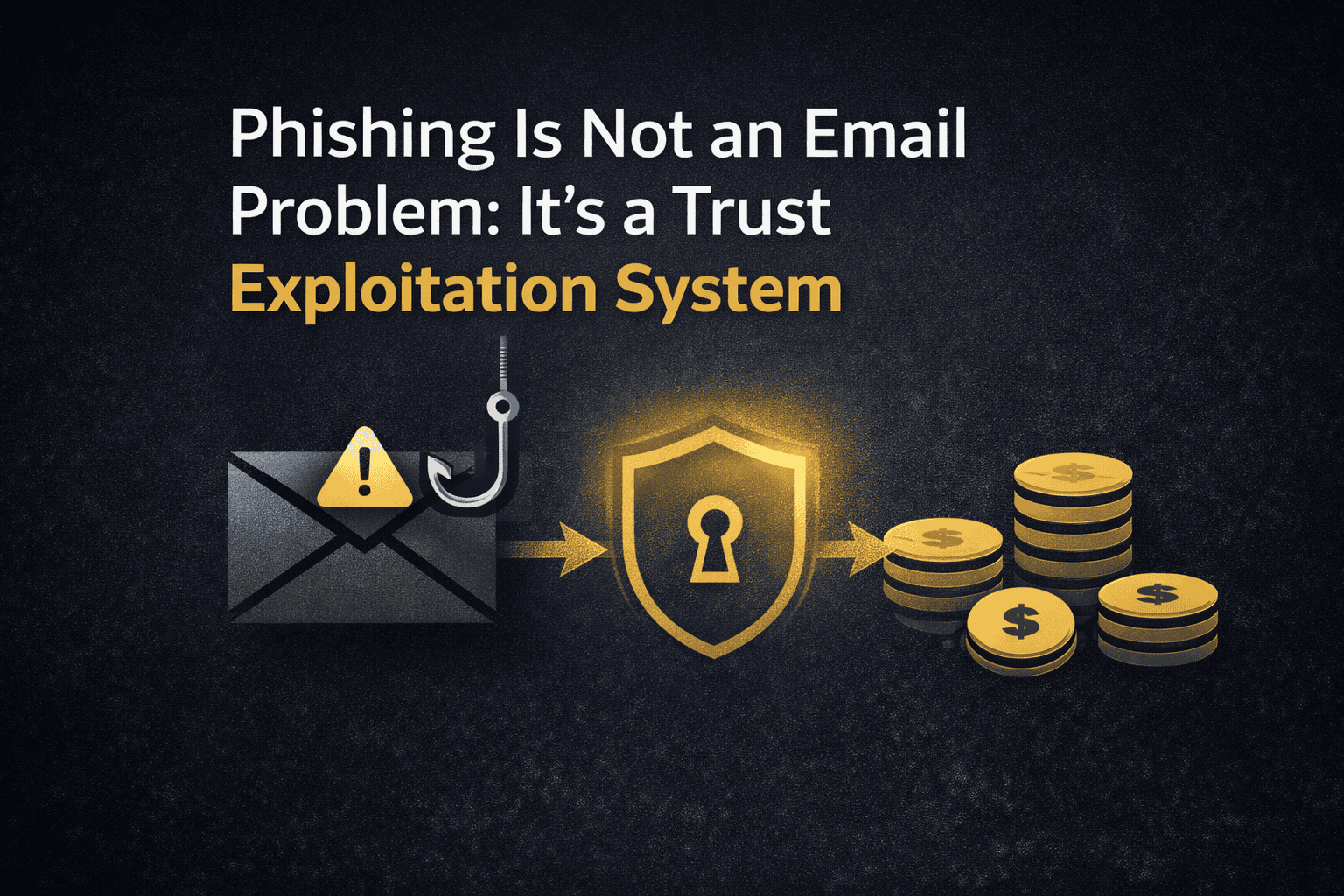
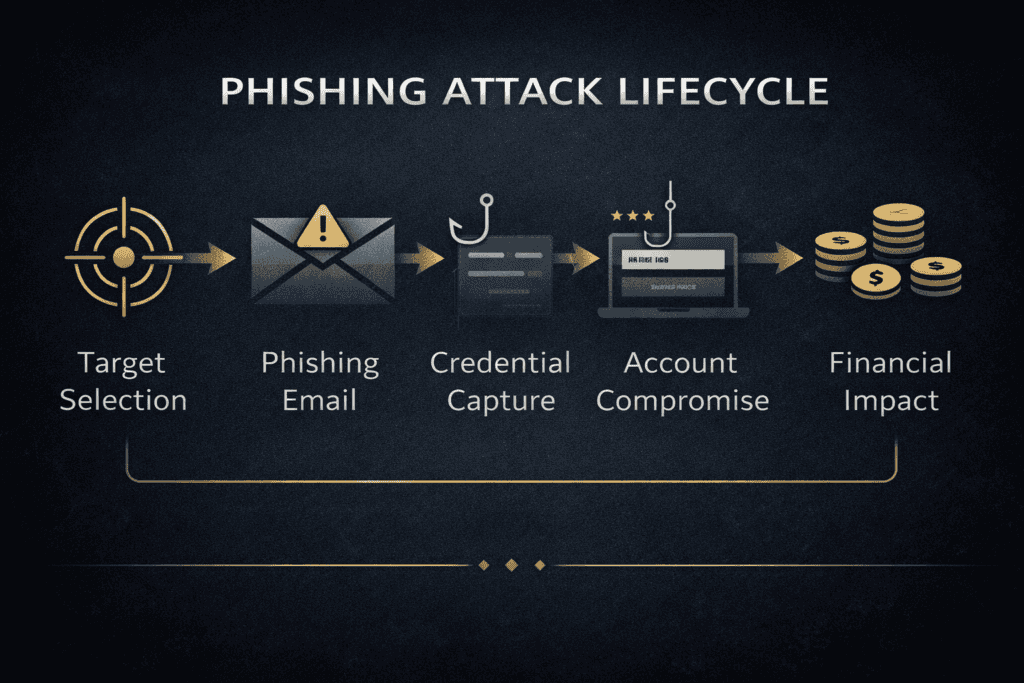
Cybersecurity is often explained through attacks: phishing, ransomware, malware, credential theft, and data breaches. But these are symptoms.
The deeper question is: who is allowed to be trusted inside the system?
This is why How Cybersecurity Shapes the Modern World matters here. Cybersecurity protects the hidden digital infrastructure beneath finance, healthcare, logistics, governance, cloud systems, communication, and identity itself.
Trust Protocol Layers
The system verifies whether an identity should enter.
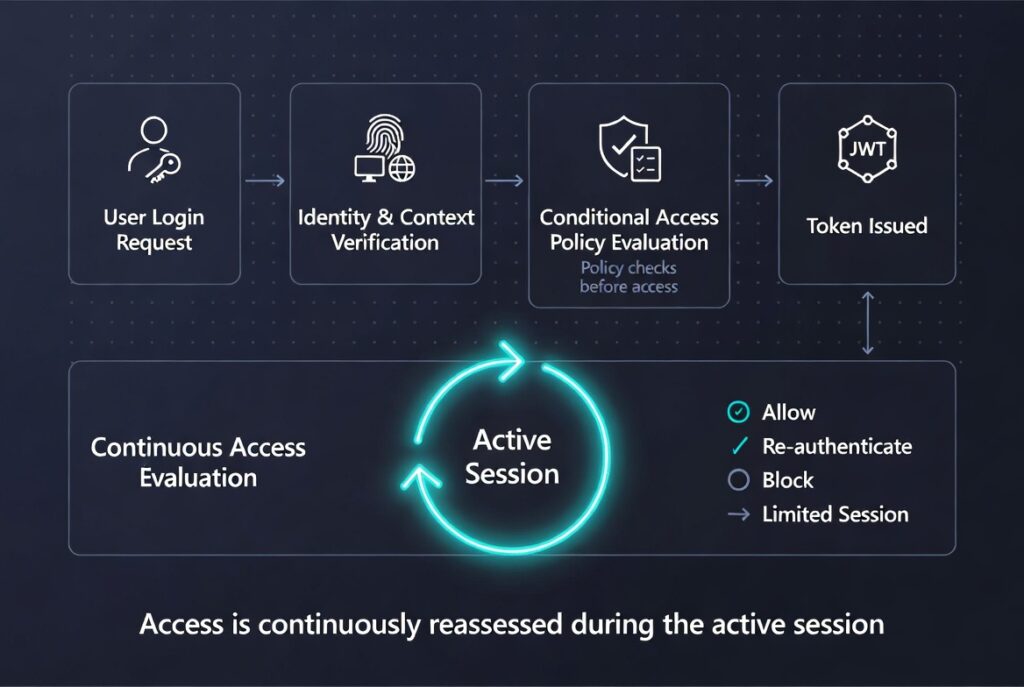
The system decides how long trust remains active after entry.
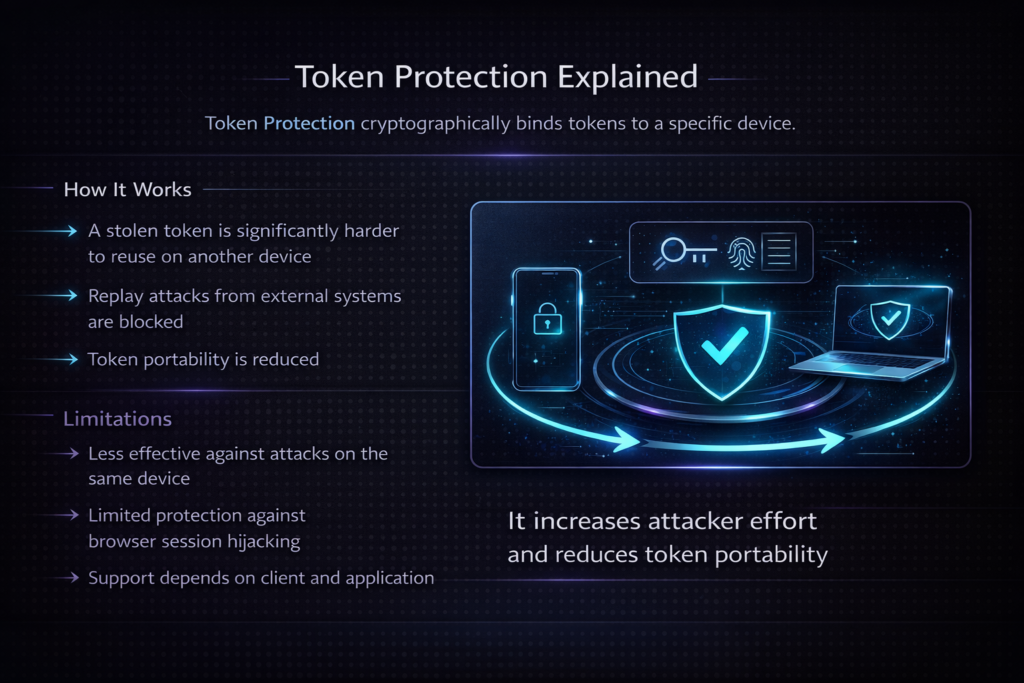
Portable trust objects carrying temporary authority between systems.
Institutional memory for digital environments.
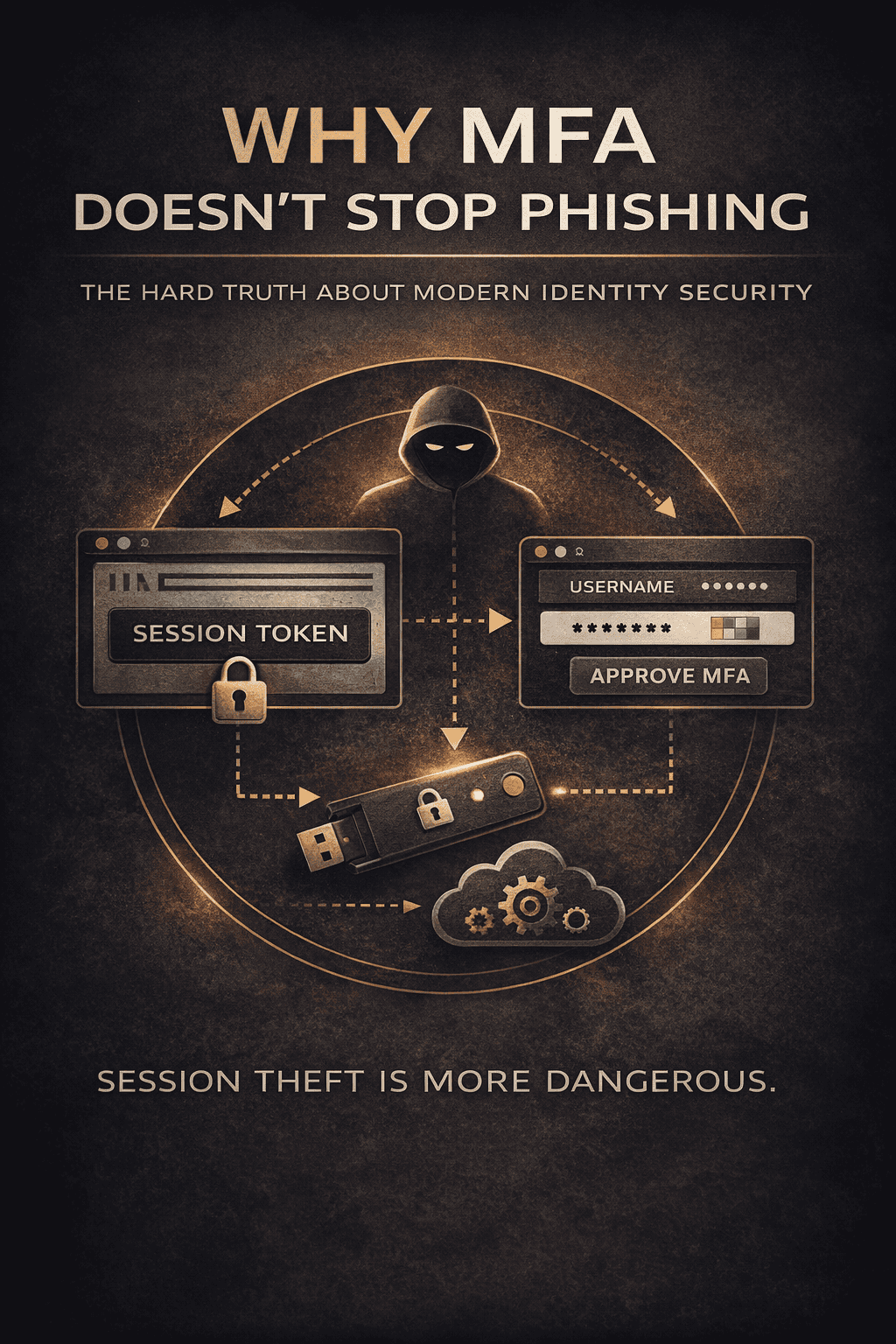
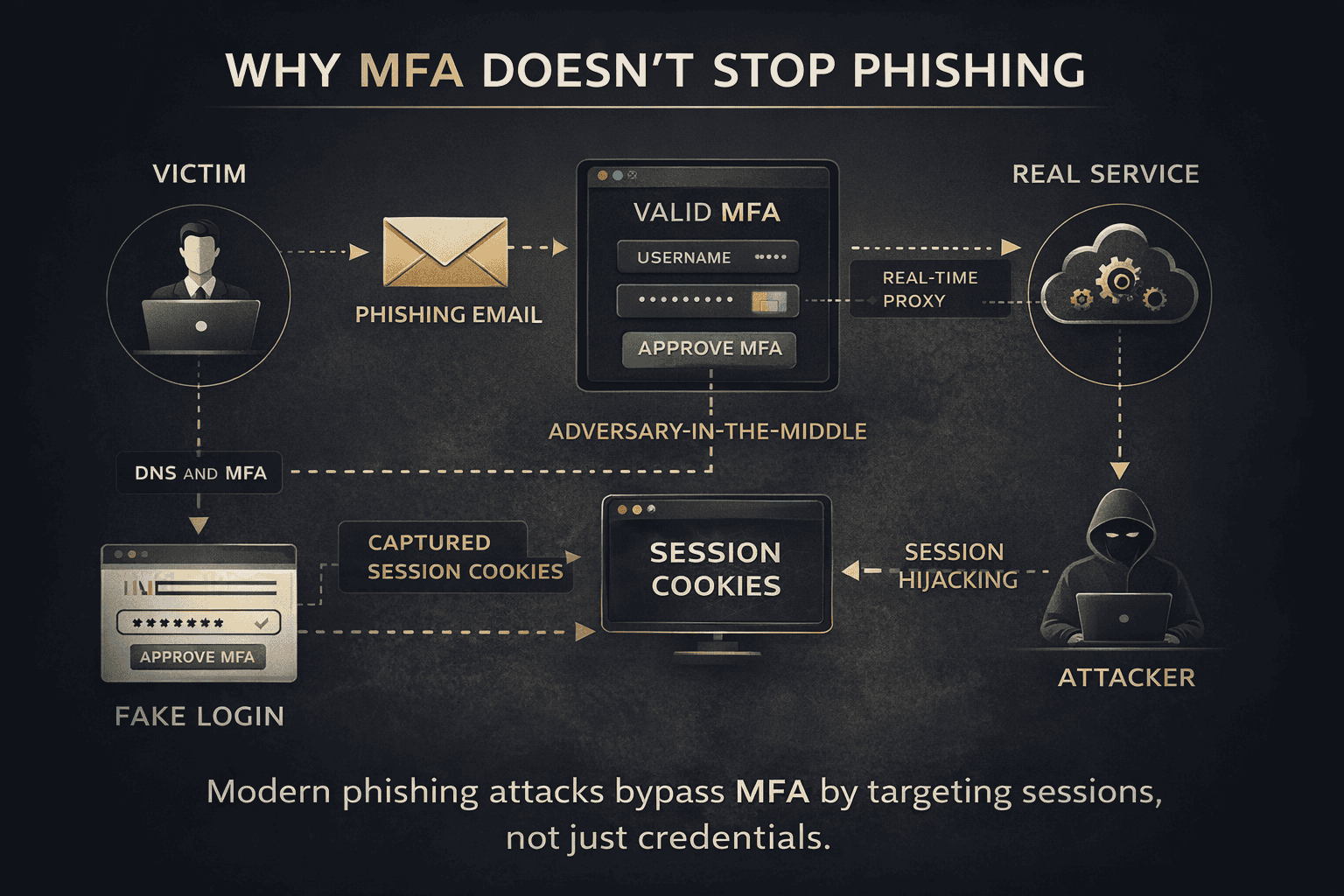
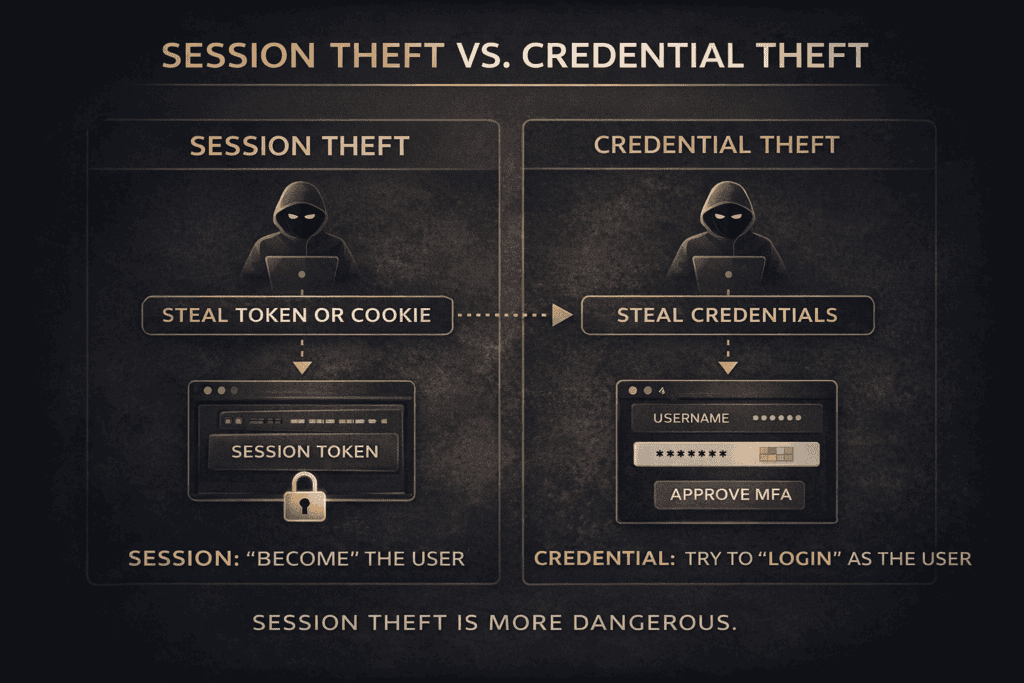
This directly connects to Session vs Credential Theft. Attackers increasingly target accepted trust states instead of only passwords.
Human behavior also matters. Human Error in Cybersecurity explains why mistakes are often system outputs shaped by workload, design pressure, fatigue, incentives, and organizational structure.
If certificate authorities fail, the browser lock itself becomes uncertain. The symbol of safety becomes part of the attack surface.
The NIST Cybersecurity Framework is useful because it treats cybersecurity as governance, resilience, risk management, and continuity.
Your WordPress site is also a trust system: identity, updates, plugins, backups, permissions, reputation, and continuity.
Run a WordPress Security CheckInstitutions Are Long-Term Memory Machines

Courts preserve legal continuity. Archives preserve historical continuity. Universities preserve educational continuity. Ports preserve commercial continuity. Registries preserve administrative continuity.
Institutions allow civilization to remember beyond individual lifespan.
This is why History of Tunisia belongs inside the same intellectual map. Civilizational continuity depends on preserved systems of law, memory, infrastructure, governance, and legitimacy.
The institutional logic becomes even clearer in Kairouan Islamic Civilization. Scholarship, law, architecture, education, and religious legitimacy become trust infrastructure.
The network version appears in Carthage Network Power. Maritime coordination, contracts, ports, routes, and commercial credibility form another trust architecture.
Every Civilization Builds Trust Architecture
Rome scaled trust through administration, taxation, military organization, and legal identity.
Ports, contracts, logistics, and commercial memory transformed the Mediterranean into a network system.
Religious learning, urban structure, legal scholarship, and educational legitimacy created civilizational durability.
Commercial reputation, insurance, maritime power, and financial coordination created scalable trade trust.
APIs, certificates, cloud systems, payment rails, and identity infrastructure coordinate modern civilization.
Logging Into a Bank Account Activates an Entire Civilizational Chain
The user sees a login screen. The system activates an infrastructure corridor.
The person claims recognized ownership.
The system evaluates device legitimacy and risk.
The request moves through routing infrastructure.
The device resolves the destination system.
The connection is cryptographically validated.
The request reaches institutional systems.
Behavior and risk are evaluated.
The action connects to financial coordination systems.
The event becomes institutional memory.
If DNS fails, authentication systems, payment rails, APIs, and cloud services begin failing simultaneously.
Trust Is a Feedback Loop
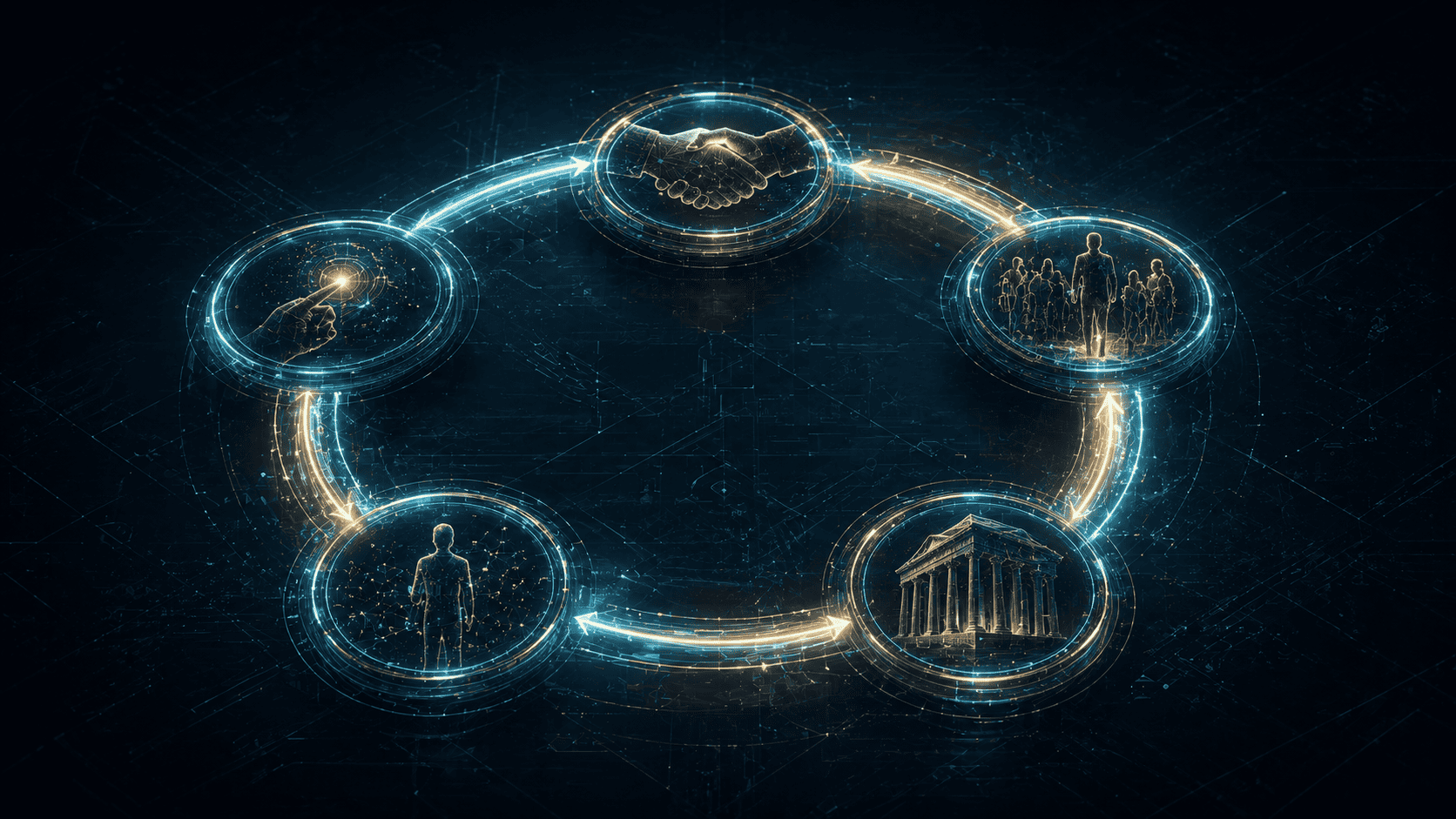
Trust creates use. Use creates familiarity. Familiarity creates dependence. Dependence increases normalization. Normalization makes power invisible.
This is the same systems logic explored in Why Systems Thinking Matters.
Repeated interaction with infrastructure.
Reliability reduces suspicion.
The system disappears into normality.
Dependence becomes vulnerability.
People Usually Notice Trust Systems Only When They Break
A payment outage turns money into waiting. A corrupted archive turns memory into uncertainty. A hacked account turns identity into dispute. A broken institution turns procedure into suspicion.
Trust failure rarely remains isolated. Pressure spreads into law, customer service, leadership, reputation, public confidence, and narrative control.
Cyber attacks exploit accepted trust. Institutional corruption transforms procedure into doubt. Broken records transform continuity into conflict.
Civilizations Can Also Erode Through Slow Trust Exhaustion
Trust does not only collapse dramatically. It can decay slowly through bureaucracy, overload, corruption, legitimacy fatigue, security exhaustion, and institutional contradiction.
Procedure begins serving insiders instead of continuity.
Systems become too complex to navigate efficiently.
People continue obeying systems they no longer emotionally trust.
Excessive warnings and friction reduce effective security behavior.
Continue Through the Hidden Architecture
Enter the invisible defense layer protecting finance, communication, healthcare, logistics, cloud systems, and digital civilization itself.
Systems Thinking Systems Thinking and StrategyFollow the deeper logic of emergence, hidden dependencies, recursive systems, incentives, and civilizational coordination.
Culture and Identity History of TunisiaExplore how geography, institutions, ports, identity, administration, and continuity preserve civilization across centuries.
Philosophy and Legacy Philosophy and LegacyAsk the deepest question beneath every trust system: what deserves continuation after power, technology, and memory shift?
The Twenty-First Century Is a Battle Over Believable Systems
Power is no longer only command. Power is the ability to make systems believable enough that people continue participating while they cannot inspect the machinery underneath.
Modern civilization depends on scalable symbolic trust: certificates, institutions, interfaces, laws, identity systems, infrastructure coordination, and digital verification.
Civilization is not only technological. It is psychological. Philosophical. Institutional. Narrative.
Civilization survives when trust survives distance, complexity, and time.
Darja Rihla
Why This Matters
The future battle is not only over weapons, resources, data, or territory. It is over believable systems. The systems people still trust enough to use.
Frequently Asked Questions About Invisible Trust Systems
Hidden systems allowing people to rely on identity, money, infrastructure, law, and institutions without directly inspecting them.
Cybersecurity protects the digital infrastructure preserving modern verification, communication, identity, and continuity systems.
Institutions preserve records, legitimacy, authority, and continuity beyond individual lifespan.
Reliable systems fade into background normality until failure reveals dependency.
A visible symbol compressing larger infrastructure into a recognizable signal: passports, browser locks, diplomas, contracts, and bank cards.
Identity becomes disputed, money becomes delayed, records become uncertain, and legitimacy begins eroding.
Systems thinking reveals feedback loops, dependencies, emergence, hidden coordination, and failure propagation.
Civilization has become too complex for direct personal verification. Scalable trust infrastructure becomes necessary.
Sources & Further Reading
- National Institute of Standards and Technology. NIST Cybersecurity Framework 2.0. 2024.
- North, D. Institutions, Institutional Change and Economic Performance. Cambridge University Press, 1990.
- Fukuyama, F. Trust: The Social Virtues and the Creation of Prosperity. Free Press, 1995.
- Scott, J. Seeing Like a State. Yale University Press, 1998.